

TL;DR
- Digital design is more than just aesthetics: UX, interaction, motion, conversion.
- If you focus solely on aesthetics, you’ll build websites that don’t sell anything.
- We’ll show you the principles that turn screens into effective conversion elements.
- The result: websites that turn visitors into leads.
In a nutshell:
- Digital design is more than just screen layout—it encompasses UX, interaction design, motion, and conversion optimization.
- If you focus solely on aesthetics, you’ll build websites that look great but don’t sell anything.
- We’ll show you which design principles turn a screen into a functional conversion element.
Digital design is a complex field within marketing that encompasses many subfields. Generally speaking, digital design is intended to be displayed and rendered perfectly on all digital devices.
However, this definition is too brief and not self-explanatory, which is why we’ll delve into the topic of digital design in detail in the following post—among other things, we’ll focus on these subpoints:
- The definition of digital design
- The different types of digital design
- When to use digital design
- How to work with digital designers
- What constitutes good digital design
What exactly is digital design?
Digital design describes the visual communication used to present information, products, or services in a digital format. Simply put, it is graphic design presented on computers and other devices. For example, various documents can be scanned and uploaded digitally.
However, digital design takes into account the various devices and their requirements. This includes the user experience, interactivity, and different screen sizes. An important distinction in a nutshell: Digital design is made to use documents, rather than just read them.
Digital Design vs. Graphic Design
The superficial distinction is obvious: graphic design applies to printed products, and digital design is for digital content. However, the lines between the two are increasingly blurring. This is because digital design uses the same techniques as graphic design—for example, typographic layout or brand implementation.
However, graphic design projects must also usually be printable and take digital distribution into account. That said, the term “graphic design” is often used as an umbrella term for all types of visual communication.
Designers often have to address both of these options in their work and master both graphic design and digital design. Which one is used depends on the medium, whether print or digital. Digital designs must take user interaction into account, while graphic design focuses on the static visual impact.
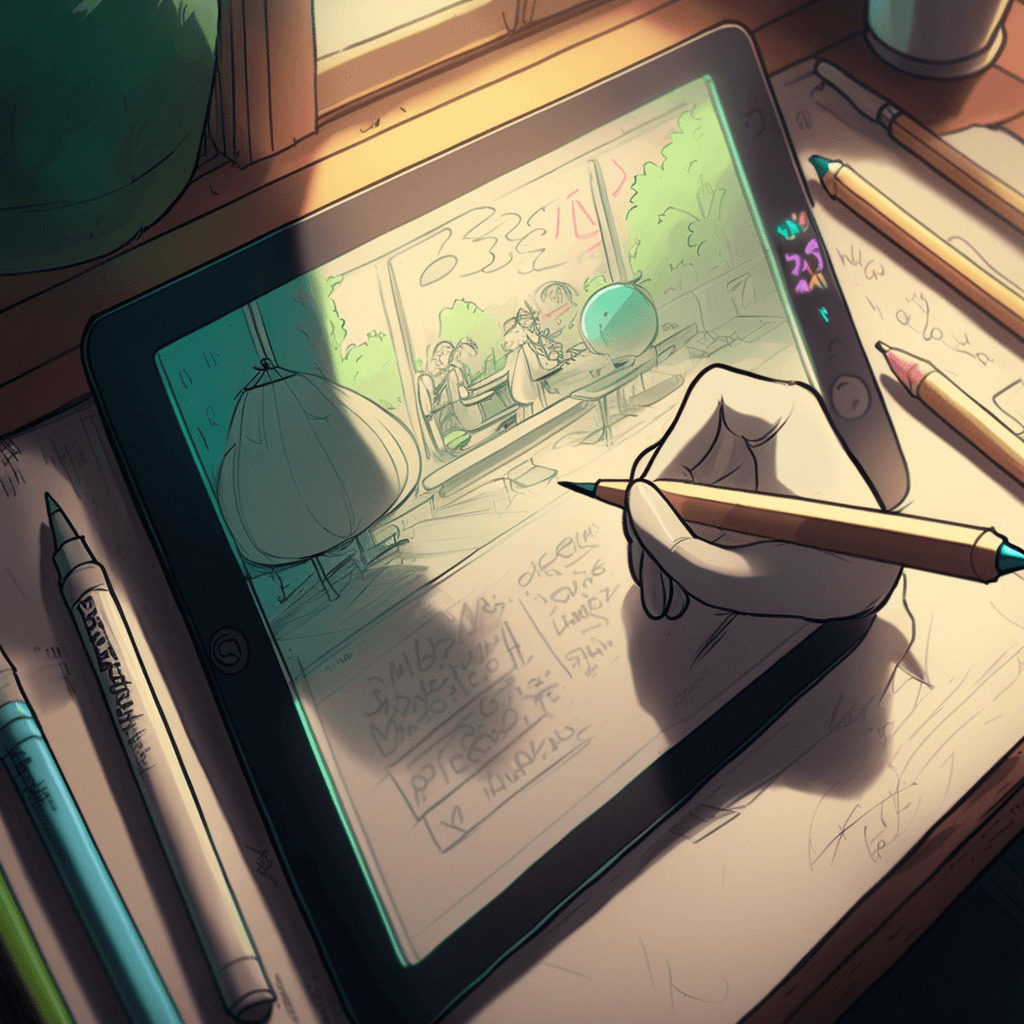
Digital designers create:
- infographics
- Websites
- Landing pages
- Banner ads
- Social media content
- Online graphics
- Apps
- Video ads
Print designers create:
- Books
- Brochures & flyers
- Magazines & Newspapers
- Business cards
- Posters
- Flyers
- Print Ads
Design and Development
Everything that is displayed digitally requires code. This also applies to digital designs so that they function properly. In contrast, graphic design in its traditional form requires paper and ink, as it must be printed. Here, there are two distinct processes for printing and distribution. In digital design, there is also a separate process for programming.
The collaboration between digital designers and programmers works like this: The former make decisions based on a product’s visual design and then pass on a mockup—created using Photoshop or a prototyping tool—to the client.
There, the in-house developers use a programming language to transform the mockup into a functional digital design—for example, a website or a newsletter.
Even if digital designers occasionally offer to program the design themselves, the two disciplines are distinct. So, if you commission a digital design from an agency or a freelancer, keep in mind that you’ll need to hire a developer in addition to the designer.
Types of Digital Design
As mentioned earlier, there are many categories and a wide variety of user interfaces that fall under the umbrella of digital design. We’ve listed everything that’s included here for you:
Web Design
The most popular form of digital design is web design. Web design also includes websites, which have become standard for every business—especially since they serve as a key hub for marketing, customer service, information dissemination, and sales.
Landing Pages
This is a subcategory of web design. However, the focus here is on marketing. The difference between a website and a landing page is that the website is the central channel, while the landing page is simply a subpage that highlights a specific product or service.
Typically, each subpage features a so-called call-to-action—a prompt designed to guide the visitor in a specific direction. This includes, among other things, an invitation to purchase or to download a freebie. The subpages should be coherent and visually coordinated with one another.
Apps
Apps serve a similar function to websites. However, their purpose is different. They are intended to essentially replace websites on devices such as smartphones and tablets, which have different screen sizes. This is because websites often cannot be displayed optimally on these devices.
Apps are in no way inferior to websites: whether for shopping, scheduling appointments, sending messages, watching videos, or playing music. Many apps can also be used on the desktops of PCs and laptops.
App Icons
App icons are buttons that users tap to launch the app. On the one hand, they serve as branding for recognition, as advertising in the app store, and as a visual aid for finding the app on the device itself.
Even though one might think they are related to app design, icons differ in terms of their objectives. Their structure is so distinct that they often require their own designers—just like logo design.
Infographics
These are topic-specific data presented in a graphical format, available in either print or digital versions—or both. In the digital version, animations or motion graphics can also be incorporated to better convey information.
At the same time, animations are often shared, and your readers are better entertained. A brand can significantly increase its reach with them.
Email Design
Emails, in particular, are an important tool for companies to distribute newsletters and various marketing campaigns. The design of the emails ensures that branding is strengthened and increases reader engagement. This is comparable to beautiful stationery.
Advertising Banners
Ad banners are small advertisements. These are displayed on websites when a company purchases ad space on that page. Their function is comparable to billboards or advertising columns. Your goal is to increase brand awareness and sales by getting users to click on the small ad.
Social Media
Images on social media include profile pictures or cover photos, along with posted content. Appealing photos are often used as social media images, and digital designers also incorporate branding elements, such as the logo. This allows them to create unique social media images that serve as a recognizable brand identity for companies.
E-book
An e-book, as the name suggests, is an electronic book that can be read on an e-reader. Companies use e-books so that customers can download brochures, among other things.
PowerPoint Design
PowerPoint designs are branded to create a consistent look. Business plans and other internal communication materials, such as presentation slides, can also be designed with a consistent style.
3D Designs
3D designs are realistic, three-dimensional images created on a computer and used for entertainment. They are commonly found in the video game and animation industries. Brands, on the other hand, use 3D designs to render products or create models for construction projects.
What makes a good digital design?
A good digital design always keeps the customer in mind and strives to provide them with excellent service. The message behind it: “You, the customer, are important to me.” And that’s exactly what we all want as consumers—to be taken seriously and supported.
Digital designers also consider in advance which typography, colors, graphics, and photographs are necessary for this. They ask themselves what requirements end-users have for the digital product and how these can be met. These individual elements therefore make up a good digital design:
Interactivity
To achieve interactivity, your design must engage users in processes and encourage them not just to look at things, but to do something with them.
Analysis
Before creating the design, you should research industry and design trends, the target audience, and the topic. User tests should also be conducted in advance to identify customers’ challenges, wishes, and requirements. Only then can the design be coherent and successfully implemented later.
Spelling
It goes without saying: websites, landing pages, apps, etc., should be legible and free of spelling errors. You can use free tools like LanguageTool or Linguix for this.
Structure
This includes not only text flow, hierarchy, font, and scale, but also white space and design principles. Keep in mind people with visual impairments or poor eyesight. If the text is too small, they will have difficulty reading it.
To provide further assistance, you should use alt tags for images. These are additional descriptions that explain to users what is happening in the images. These are then read aloud to people with visual impairments.
Clear navigation with supporting icons and colors also helps users find their way around your website, landing pages, and apps. And it doesn’t even have to be particularly complicated. Even subheadings can serve a navigational purpose.
Why Digital Design Is So Important – Digital Design and Marketing
If you want to spread your brand messages, digital design is extremely valuable—here’s exactly why:
Brand Awareness
Design is a crucial element because it’s the first thing potential customers see. Through your design, you create what’s known as brand awareness—an awareness of the brand.
More Revenue
What looks good sells better! A 2019 study by QuickSprout proved exactly that. Well-designed visual content can evoke emotions and thereby drive purchasing decisions.
Reach
Digital design is particularly effective on social media platforms, where it evokes emotions. This encourages users to share content and helps you achieve greater engagement with your target audience.
Universal visual language
With a universal visual language, users can grasp and interpret content more easily and quickly. Design therefore plays a crucial role, especially when it comes to logo creation. On a website, too, a universal visual language draws the eye to key points.
Are digital designers really necessary?
Every major company should be aware of the importance of digital design and have a digital designer on staff. This is because many digital designers combine their creative know-how with technical expertise to professionally execute projects that include graphics, animations, and other visual effects.
A digital designer is therefore someone who translates visual communication into creative solutions for distribution on the internet. Above all, a good digital designer should possess the following skills:
- Solution-oriented thinking
- Creativity
- Navigation and layout techniques
- Technical know-how
- Basic knowledge of HTML or another programming language
- Patience & team spirit
- Good time management
- Openness to criticism and feedback
- Organizational skills
- Ability to work under time pressure
The difference between designers
Design is a broad field. No wonder there are different designers for the various disciplines. Here we’ve listed all the designers for you to illustrate the differences:
Graphic Designer
Graphic designers are capable of working for both online and print media. Digital graphic designers provide guidance and ensure consistency in illustrations, icons, logos, color choices, and typography.
UX Designer
A UX designer, on the other hand, creates prototypes, frameworks, and wireframes—that is, schematic representations of individual page templates. UX designers focus on both usability and user research. Always at the center: the customer’s user experience.
App Designer
Note: an app designer is not an app developer. App designers create the design and visual aspects of the app. The app developer, on the other hand, codes the app and usually works closely with the app designers.
Web Designer
If you want to create a website or relaunch an existing one, you need a web designer. They are capable of designing websites and layouts for all devices. Ideally, a web designer should have programming skills to collaborate effectively with the web developer.
Product Designer
Product designers create digital products and must determine how these products work, what services and functions they fulfill, and what they should cost. All questions that arise from user testing are answered by the product designers.
Interaction Designer
Everything a user does is ultimately an interaction that was conceived and planned in advance by the digital designer. Interaction designers are there to improve the digital user experience and meet user requirements.
Animation Designers
Animation designers develop animations and visual effects that are then used on websites, in games, or in films.
9 Helpful Tools for Your Digital Design
The best tools for your digital design are Adobe Creative Suite, Adobe Photoshop, Adobe Illustrator, and Adobe XD. However, these tools are quite expensive and require graphic design skills. That’s why we’ve put together these nine alternatives for you:
- Procreate
Procreate offers the following features:
- Content management
- Data storage management
- Design management
- Image and text editing
The drawing process can be recorded directly within the app. However, you’ll need an Apple Pencil and an iPad to use this tool.
- Vectornator
With this tool, you can do almost anything in the field of graphic design:
- Branding
- Illustrations
- Typography
- Websites
- User interfaces
- Rendering
- Canva
Even without any design experience, you can create beautiful designs with Canva thanks to its drag-and-drop interface.
- VistaCreate
Just like with Canva, you don’t need any design skills to use VistaCreate. Features include:
- Removing the background from images
- Creating multi-dimensional visuals
- Creating animations
- Visme
Visme is available in multiple languages and is cloud-based. Visme includes:
- Data visualizations
- Social media
- Presentations
- Brand documents
- Infographics
- Animations & Short Videos
- Moqups
This tool is similar to the others and facilitates visual and digital collaboration. It also features whiteboard and diagramming functions.
- Venngage
It is ideal for creating professional presentations, infographics, reports, and posts.
- Mockplus
It is an all-in-one design platform that allows you to create interactive wireframes and prototypes.
- Figma
This cloud-based tool creates custom, web-based designs and prototypes.
An overview of the nine tools
+++ = very good, ++ = good, + = okay, – = not so good
| Software | User-friendliness | Customer support | Price |
|---|---|---|---|
| Procreate | ++ | ++ | One-time $9.99 |
| Vectornator | ++ | +++ | Free |
| Canva | +++ | ++ | Free / $109.99 per version annually |
| VistaCreate | +++ | +++ | Free / €10 per month for the Pro version |
| Visme | ++ | ++ | Free / €29 per month for the Pro version |
| Moqups | ++ | ++ | Free / €67 per month for the Pro version |
| Venngage | ++ | +++ | Free / €19 per month for the Pro version |
| Mockplus | ++ | – | Free / €12.95 per month for the Pro version |
| Figma | +++ | ++ | Free / €15 per month for the Pro version |
Waterproof Web Wizards as Your Partner for Digital Design
You now know exactly what digital design is and why it’s so important. If you’re considering working with an agency to bring your project to life, we can help. At Waterproof Web Wizards, we’re here for you when it comes to digital design. Be sure to read our client reviews first to get a better sense of who we are.
In addition, we are specialists in SEO strategies, which are a crucial part of marketing. We cover the following areas:
- Search Engine Optimization – SEO
- Local SEO
- Technical SEO
- SEO Audit
Feel free to contact us with no obligation: You can reach us by phone at +49 751 95 89 92 17 or send us a message via our contact form.