
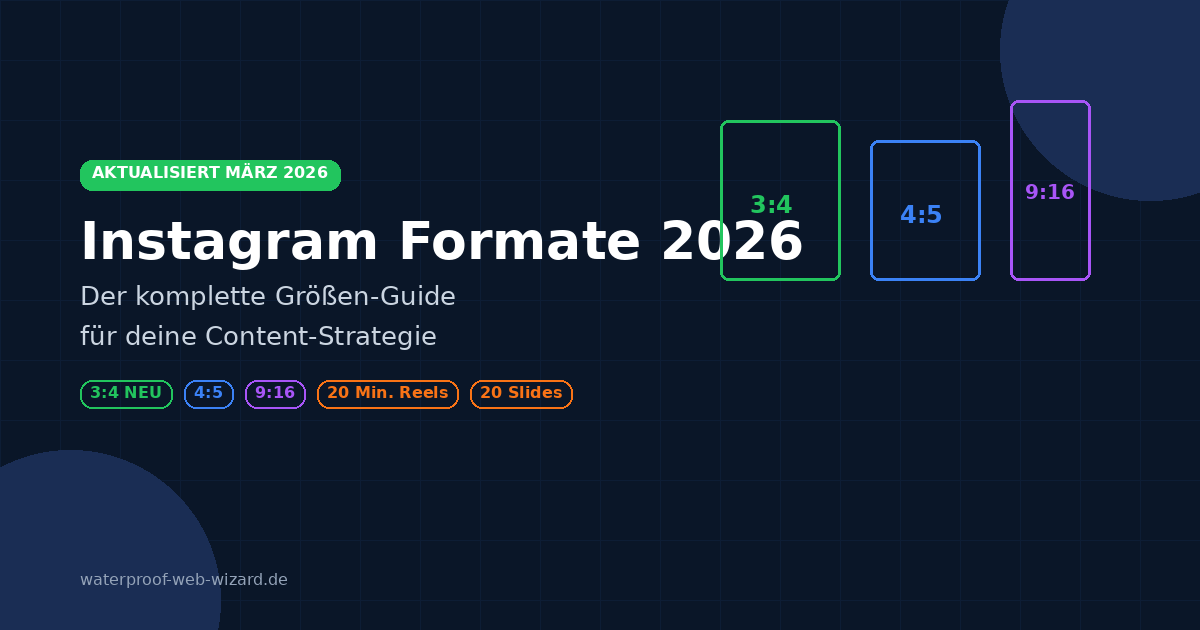
In a nutshell:
- Instagram changes image formats faster than most small and medium-sized businesses can adapt their designs.
- Feed, Stories, Reels—each format has its own pixel specifications, and incorrect cropping reduces reach.
- We’ll show you the latest 2026 size guide and what pitfalls to avoid in branding posts.
You know the drill: You create content for Instagram, and when you upload it, everything looks different than planned. Your carefully designed images get cropped, text disappears at the edges, or the quality suffers. Put an end to that. We’ll show you the latest Instagram formats for 2026—including the new 3:4 format, which has completely changed the feed and your profile grid.
The most important change: From 4:5 to the new 3:4 standard
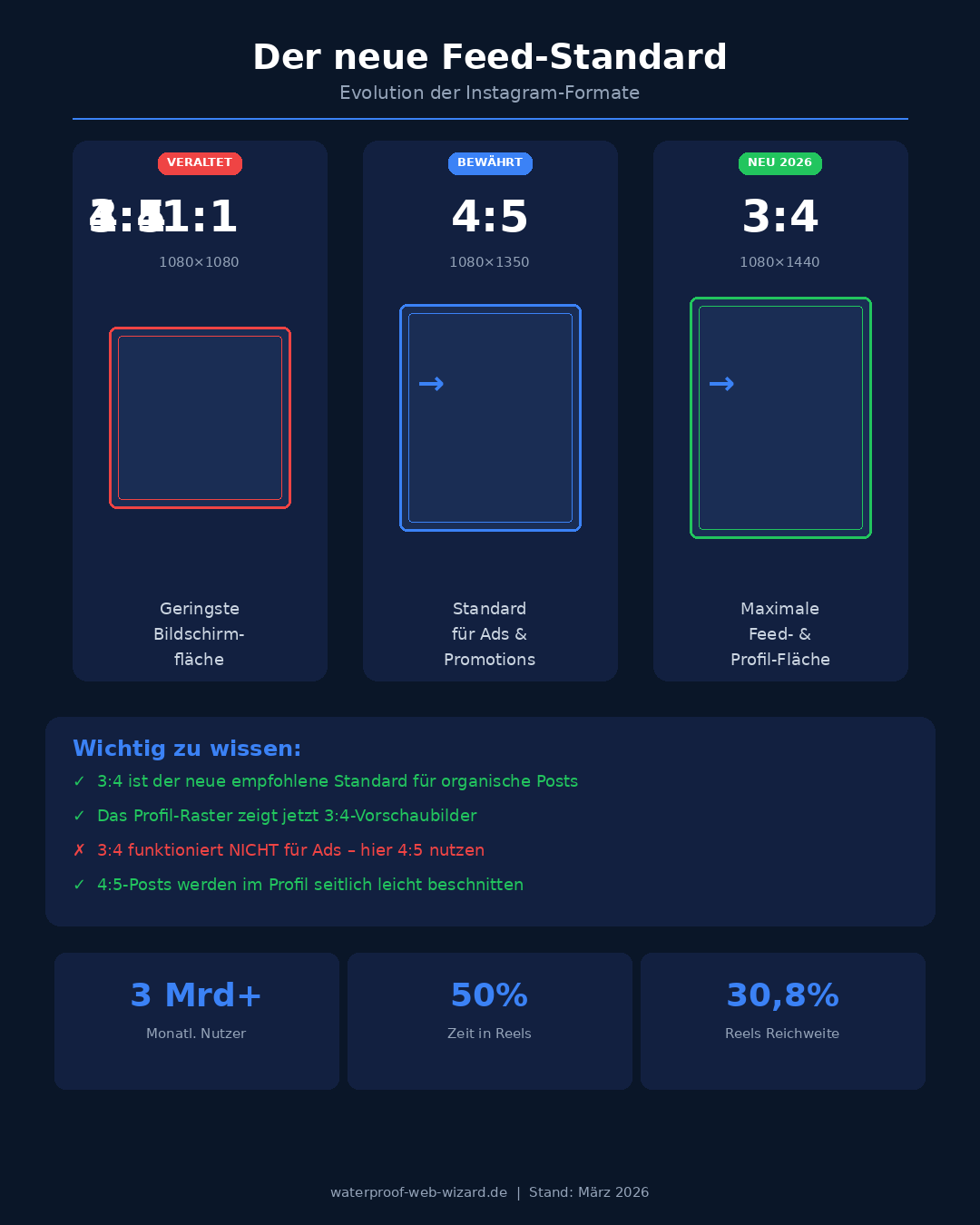
At the end of 2025, Instagram switched the profile grid from square (1:1) to a vertical 3:4 format. This means: All profile thumbnails are now displayed in a 3:4 aspect ratio. Since early 2026, Instagram has also supported 3:4 uploads directly in the feed—a major step that allows for more vertical space on the screen.
What does this mean for you specifically?
- New recommended feed format: 1080 x 1440 pixels (3:4) – maximum screen utilization
- The tried-and-true standard remains usable: 1080 x 1350 pixels (4:5)—still ideal for ads and sponsored posts
- Profile grid: Displays all thumbnails in 3:4 format – older 4:5 or 1:1 posts will also be cropped accordingly
- More space for visual stories: The 3:4 format offers even more vertical space than 4:5
- Important for ads: The 3:4 format is not yet suitable for sponsored posts/ads – 4:5 remains the standard here
Detailed Instagram Formats 2026
Feed posts
Tall / Portrait format (NEW recommendation): 1080 x 1440 px (3:4)
The 3:4 format fills more space in the feed than 4:5 and is ideal for the new profile grid. Perfect for organic posts, carousels, and content that needs to be displayed optimally in the profile. Note for ads: Continue to use 4:5 for sponsored posts, as 3:4 may be cropped in promotions.
Portrait (Proven Standard): 1080 x 1350 px (4:5)
The 4:5 format is fully supported and remains the standard for ads. Ideal for product photography. Tip: Center important elements, as the profile grid crops slightly on the sides (display: approx. 1012 x 1350 px).
Square: 1080 x 1080 px (1:1)
No longer recommended. Takes up the least vertical space in the feed and is heavily cropped in the 3:4 profile grid. Only suitable for special cases such as symmetrical compositions or cross-posting.
Widescreen: 1080 x 566 px (1.91:1)
Ideal for landscape shots and cinematic scenes. Has the lowest feed visibility of all formats.

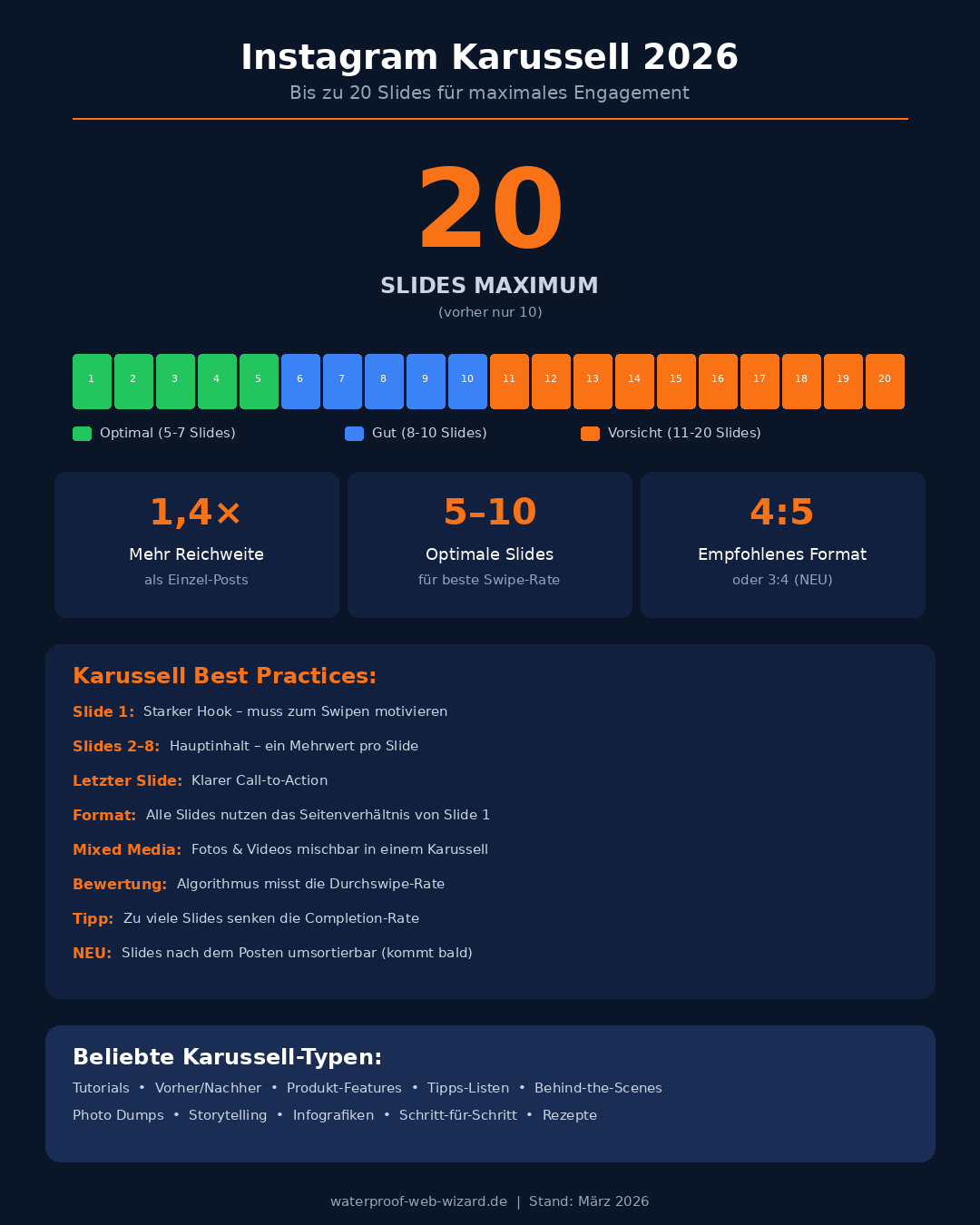
Carousel posts – Up to 20 slides
NEW in 2026: Instagram has increased the carousel limit from 10 to 20 slides. According to Instagram, carousels achieve up to 1.4x more reach than single-image posts.
- Recommended number of slides: 5–10 slides for optimal swipe-through rate
- Aspect ratio: All slides adopt the format of the first image
- Recommended formats: 4:5 (1080 x 1350 px) or the new 3:4 (1080 x 1440 px)
- Mixed media: Photos and videos can be combined in a carousel
- Algorithm: Evaluates the swipe-through rate – too many slides can reduce reach
- Coming soon: Slides can be reordered after posting
Reels – The Power Format Goes Long
Full-Screen: 1080 x 1920 px (9:16)
Reels use the entire screen height. According to Meta data, Reels now account for 50% of total Instagram usage time.
Reel preview in the feed: 1080 x 1440 px (3:4)
The feed preview of your Reel is displayed in 3:4 format. Make sure your most important elements are centered.
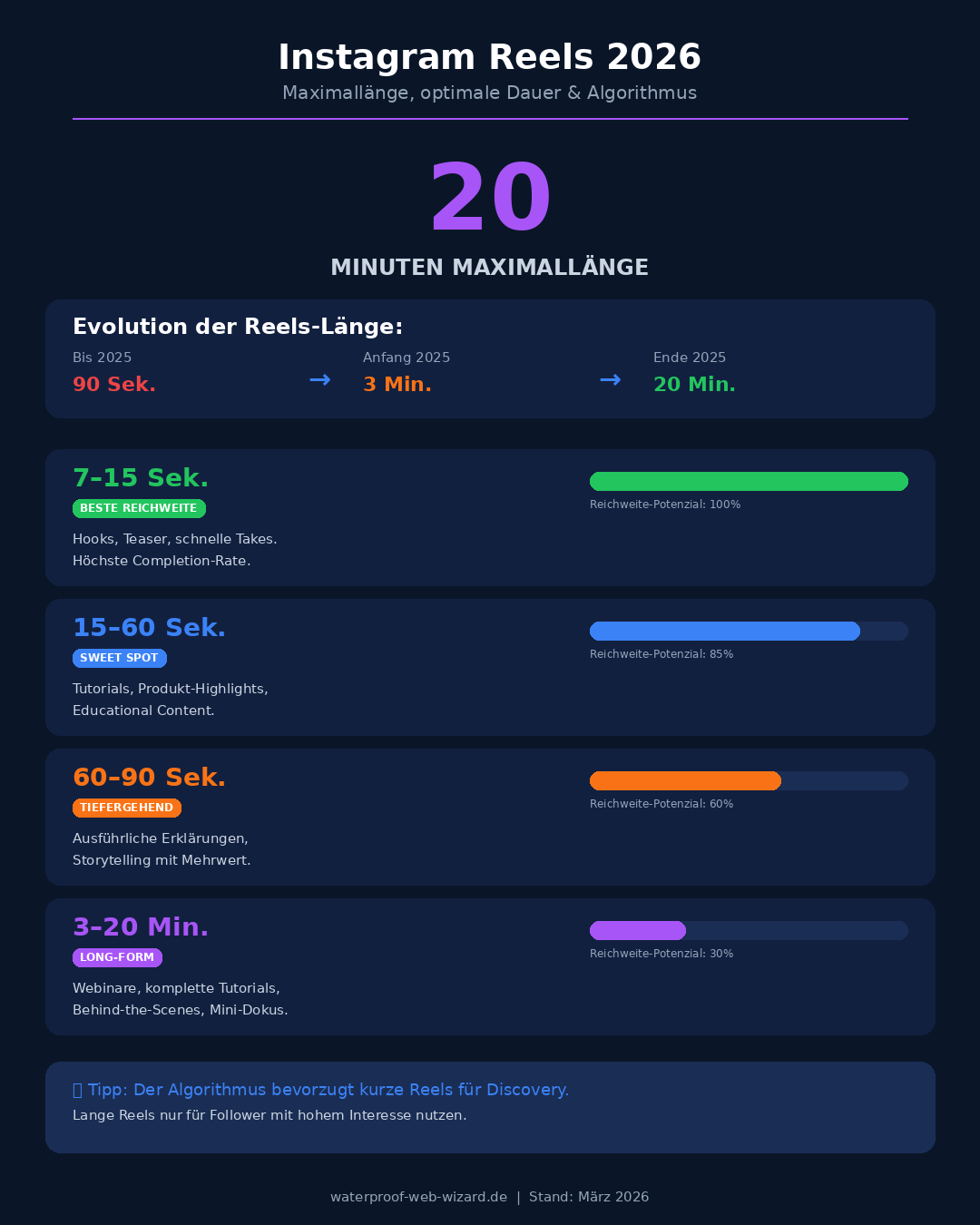
New time limit – up to 20 minutes:
Instagram has significantly expanded the length of Reels:
- Until early 2025: maximum 90 seconds
- Early 2025: maximum 3 minutes
- Late 2025/2026: maximum 20 minutes
Optimal length based on algorithm preferences:
- 7–15 seconds: Best reach and completion rate
- 15–60 seconds: Sweet spot for tutorials and educational content
- 60–90 seconds: Good for in-depth content
- 3–20 minutes: For high-intent audiences (tutorials, webinars, behind-the-scenes) – requires high retention
All videos under 15 minutes are automatically posted as Reels.
Stories – Technical Details
Standard: 1080 x 1920 px (9:16)
- Top: 250 px safe zone for header and UI elements
- Bottom: 250 px safe zone for call-to-action
- Distance from the safe zone: 35 px for optimal readability
- NEW – AI Transitions: Instagram is working on AI-powered transitions between multiple Story photos
New Instagram Features 2026
App Redesign: Reels-First Navigation
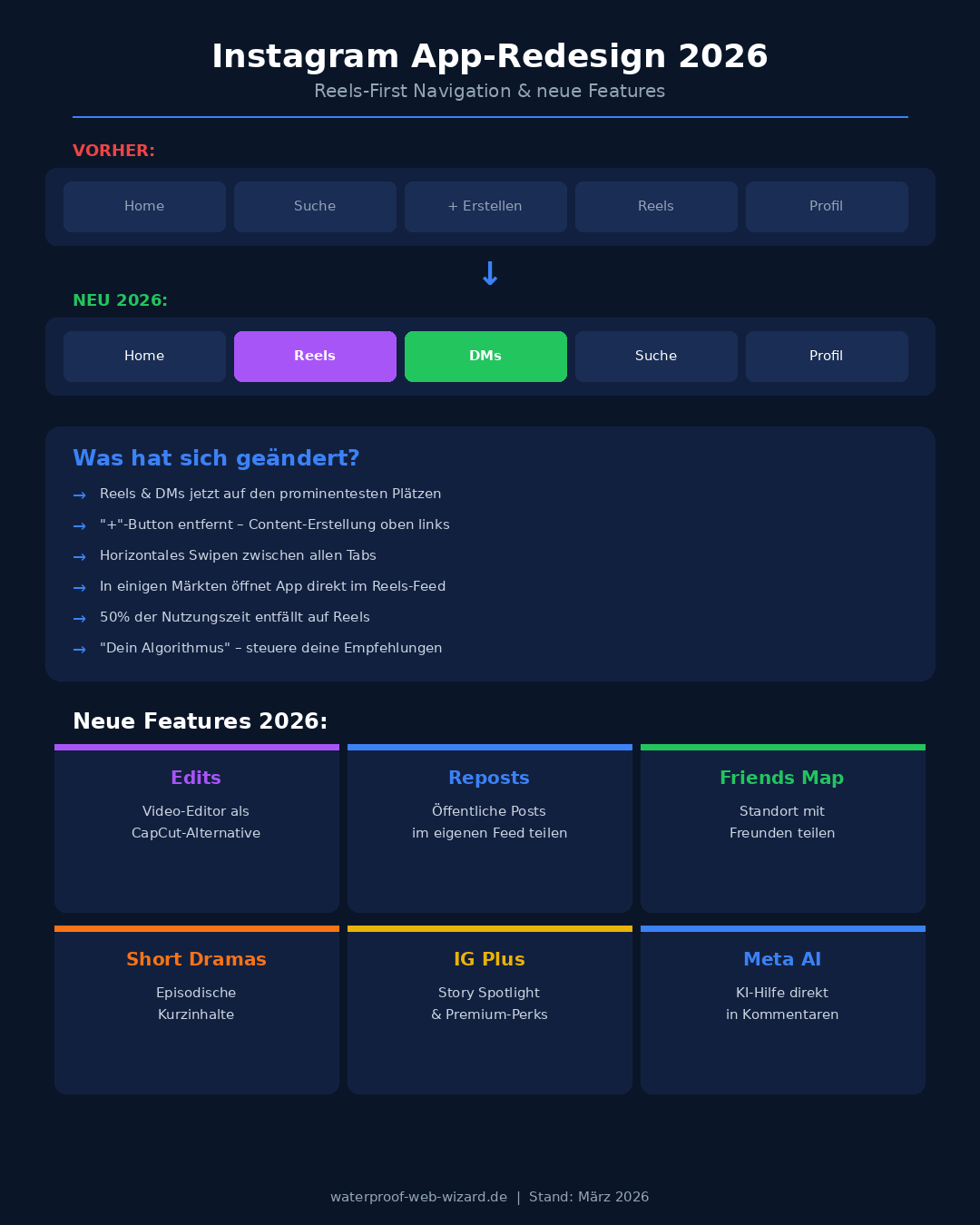
Instagram has completely revamped its navigation. The new tab order is: Home → Reels → DMs → Search → Profile. The “+” button has disappeared from the bottom bar – content creation now takes place via an icon in the top-left corner. In some markets, the app opens directly to the Reels feed.
“Your Algorithm” – Transparency Feature
Since December 2025, users can use “Your Algorithm” to see which topics the algorithm has selected for them. You can add or remove interests and specifically control your recommendations. The feature is currently available for Reels, with plans to expand it to Explore.
Instagram Edits – The CapCut Alternative
Instagram is continuously expanding its “Edits” video editor: speed up videos by up to 100x, AI-powered auto-tagging of people, copy-paste between projects, and new timeline settings. Goal: A full-fledged alternative to CapCut directly within the Instagram ecosystem.
More Updates in 2026
- Reposts: Public Reels and posts can now be officially shared in your own feed
- Friends Map: A Snap Map-like feature for sharing your location with friends
- Short Dramas: A new format for episodic short-form content
- Instagram Plus: New subscription perks like “Story Spotlight” (bump a Story to the top)
- Profile Interests: Users can display interests directly on their profile
- Meta AI in comments: Mention @meta in comments for AI assistance
- Rearrange carousel slides after posting (coming soon)
Pro Tips for Maximum Content Quality
1. Ensure optimal image quality
- Always export at the highest resolution (1080 px width minimum)
- Use the RGB color scale and the sRGB color space
- Compress smartly – maximum file size of 4 MB per image
- Use JPG for photos, PNG for graphics with transparency
2. Format-specific optimization
- Plan your shots in the intended format – consider the final format when taking the photo
- Take text safe areas into account – important text must remain within the safe areas
- NEW: Design for the 3:4 profile grid – your content must now look good in both the feed and the new vertical profile grid
- Use templates for consistent design
- Test different formats and compare performance
3. Technical Requirements
| Parameters | Value |
|---|---|
| Minimum image width | 320 pixels |
| Maximum image width | 1080 pixels |
| Image file format | JPG or PNG |
| Max. file size for images | 30 MB |
| Max. file size for videos | 4 GB |
| Carousel slides | Up to 20 (previously 10) |
| Supported aspect ratios | 1.91:1 to 3:4 |
| Reels maximum length | 20 minutes |
Special case: Sponsored posts and ads
Special requirements apply to advertising campaigns:
- Portrait Ad (Recommended): 1080 x 1350 px (4:5) – Standard for all ads
- Square Ad: 1080 x 1080 px (1:1) – Alternative for cross-posting
- Important: The new 3:4 format is currently NOT suitable for ads – be sure to stick with 4:5
Performance Insights for Ads
- Carousel ads with 5–10 slides achieve the best conversion rates
- Video ads should be no longer than 60 seconds
- The first 3 seconds determine viewer retention
- Reels achieve an average reach of 30.81%—significantly more than static posts
- Hashtags: 3–5 highly relevant ones instead of many general ones (hashtag following was removed at the end of 2024)
Compact overview table – All formats 2026
| Format | Dimensions (px) | Aspect ratio | Recommendation |
|---|---|---|---|
| Feed Tall (NEW) | 1080 x 1440 | 3:4 | ✅ Recommended for organic posts |
| Feed Portrait | 1080 x 1350 | 4:5 | ✅ Standard for ads, proven |
| Feed Square | 1080 x 1080 | 1:1 | ❌ No longer recommended |
| Wide-screen feed | 1080 x 566 | 1.91:1 | ⚠️ Landscape only |
| Reels & Stories | 1080 x 1920 | 9:16 | ✅ Standard for video |
| Reel Feed Preview | 1080 x 1440 | 3:4 | Automatic |
| Carousel | Same as Slide 1 | 4:5 or 3:4 | ✅ Up to 20 slides |
| Portrait Ad | 1080 x 1350 | 4:5 | ✅ Required for ads |
Instagram Marketplace – Shop Formats
- Product Catalog: 1080 x 1350 px (4:5)
- Shop Stories: 1080 x 1920 px (9:16)
- Collection Ads: Multiple formats available
Your next step toward content optimization
Create format templates:
- Save the most important formats as templates—especially the new 3:4 format
- Set up guides for safe areas
- Define format-specific export settings
Optimize your workflow:
- Plan content by format—consider both feed and profile display
- Use batch processing for efficient production
- Implement quality checks before posting
Test and analyze:
- Track performance by format
- Compare 3:4 vs. 4:5 for your target audience
- Optimize based on engagement data
- Continuously adjust your strategy
Need help implementing your social media strategy? Contact us directly—we’ll help you increase your reach with optimized content.
This guide is updated regularly as Instagram introduces new format changes. Last update: March 2026.
Conclusion
2026 is the year of vertical formats on Instagram. With the new 3:4 standard in the feed and profile grid, Reels up to 20 minutes long, and up to 20 carousel slides, Instagram offers more creative possibilities than ever before. The platform is increasingly focused on Reels as its primary format—Reels account for 50% of total time spent on the app. Instagram has now reached over 3 billion monthly active users. Those who adapt their content strategy to the new formats now and take the Reels-first approach seriously will benefit from greater reach and better engagement.
Frequently Asked Questions (FAQ)
What format should I use for Instagram feed posts in 2026?
For organic posts, the new 3:4 format (1080 x 1440 px) is recommended, as it utilizes the maximum screen space in the feed and fits perfectly with the new profile grid. For sponsored posts and ads, 4:5 (1080 x 1350 px) remains the standard, as 3:4 may be cropped in promotions.
How long can Instagram Reels be in 2026?
Since late 2025, Reels can be up to 20 minutes long. However, the optimal length for maximum reach is 7–15 seconds. For tutorials and educational content, the sweet spot is 15–60 seconds. Longer Reels (3–20 min.) are suitable for loyal followers with a high level of interest.
How many slides can an Instagram carousel have?
Instagram has increased the limit to up to 20 slides per carousel (previously 10). The optimal number is 5–10 slides, as the algorithm evaluates the swipe-through rate. Too many slides can reduce reach.
Is the square format (1:1) still supported?
Yes, the 1:1 format (1080 x 1080 px) is still supported, but it is no longer recommended. It takes up the least vertical space in the feed and is heavily cropped in the new 3:4 profile grid. Only use it for special cases such as symmetrical compositions or cross-posting.