

TL;DR
- Building a TYPO3 website involves more than just installing the core and managing content.
- Site packages, URL routing, caching, and extensions determine performance for years to come.
- We’ll show you the building blocks of a solid setup.
- The benefit: a maintainable system instead of a maintenance nightmare.
In a nutshell:
- Building a TYPO3 website involves more than just installing the core and adding content—the site package, URL routing, caching, and choice of extensions determine performance and maintainability for years to come.
- We’ll show you the building blocks that distinguish a solid TYPO3 setup from a maintenance nightmare.
<adata-wpil href="https://waterproof.agency/blog/wordpress-einrichten-die-anleitung-fuer-beginner" data-type="post" data-id="1546" class="lnk">You can create and customize your website exactly as you wish not only with <adata-wpil href="https://waterproof.agency/blog/wordpress-einrichten-die-anleitung-fuer-beginner" data-type="post" data-id="1546" class="lnk">WordPress, but also with the TYPO3 content management system. Learn more about TYPO3 in this article. </adata-wpil></adata-wpil>
What exactly is TYPO3?
When the term “TYPO3” comes up, many non-experts rightly ask, “What exactly is TYPO3?” Quite simply: TYPO3 is a platform-independent content management system.
It was originally developed by Kasper Skårhøj. The great thing about TYPO3: It is written in PHP, a scripting language, and is licensed under the GNU GPL. This allowed the community to grow rapidly, especially in the early days. That means: There are thousands of free extensions.
And that benefits you, because it means the range of features is constantly expanding. With the database management system for TYPO3, you also have the option to use all SQL-based solutions, including MySQL or the alternatives MariaDB and PostgreSQL.
| While TYPO3 is a highly capable and customizable CMS, its complexity makes it unsuitable for beginners. It takes a lot of patience and time for a beginner to get up to speed with this CMS. However, creating a TYPO3 website becomes easier over time. |
What should you keep in mind when creating a TYPO3 website?
There are a few things you should keep in mind when creating your website with TYPO3. These include your web host, your domain, and your SEO strategy.
The web host – essential for creating your TYPO3 website
First, you need a web host. The host is comparable to a landlord. Through them, you rent a piece of digital space to create your website. Without this host, you cannot create a website. Well-known hosting providers include, for example: All-inkl, Strato, or IONOS.
You can then download the latest (10th) version of TYPO3 here. Don’t worry: It might look a little technical, but we promise you that the installation is very easy and takes very little time. If you still get stuck, you’ll find our contact information at the end of the article, and we’ll be happy to help you.
The Domain
A server has a unique numerical code, the “IP address.” It looks like this, for example: 90.174.236.34. However, as users, we don’t see this code. Only browsers have access to it and can use it to find and open websites.
And that makes sense, because most of us have a hard time remembering a sequence of numbers. That’s why we have domains as an alternative. Ours, for example, looks like this: waterproof.agency
By the way: If you’ve just registered your domain, it usually won’t be accessible via your browser right away. You’ll often see an error message. It can take up to 24 hours for the changes to take effect in the DNS settings.
In general, your domain name is an important factor, as it is the URL you share with your customers. This means: Be sure to choose a descriptive name and avoid numbers, abbreviations, and acronyms.
Create a TYPO3 Website and Follow SEO Tips
The first page in search engine results is worth its weight in gold. That’s why everyone wants to be on the first page. Learning TYPO3 therefore also means getting to grips with SEO. There are a few points you can keep in mind right from the start:
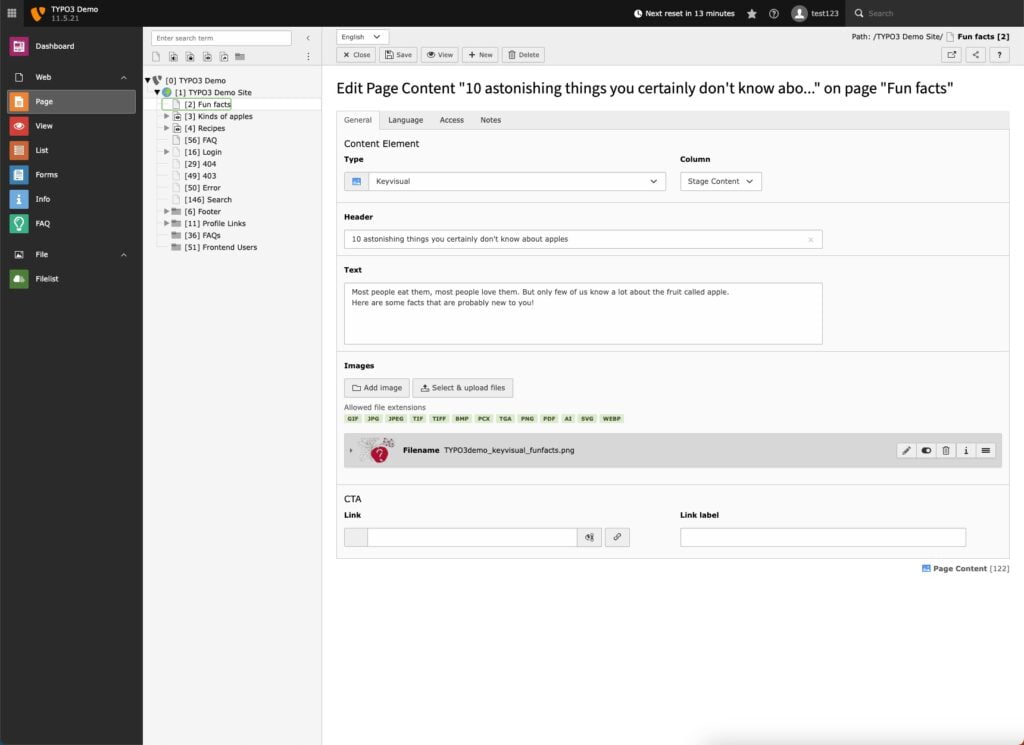
- Activate the Core SEO extension: To do this, go to the TYPO3 backend and click Backend > Admin Tools > Extensions > SEO.
- The title, robots tags, and canonical URLs should also be configured. To do this, go to Page > Select your page > Edit page properties > SEO tab.
- Every page should contain SEO metadata. To do this, go to Page > Select Page > Edit Page Properties > Metadata tab
- Search engines “crawl” the internet and look for the best answers to users’ search queries. To do this, you must allow them to find your website. You do this by configuring the robots.txt file. To do this, go to Site Management > Sites > Static Routes tab.
- All images you upload to your website must include an alt description. This is because search engines also read these alt descriptions, which help optimize your SEO ranking.
- Conduct an SEO competitive analysis to stay one step ahead of your competitors. This is also important for keyword research and gathering ideas. In this article, we’ve summarized everything you need to know about it.
Why are extensions so important for TYPO3?
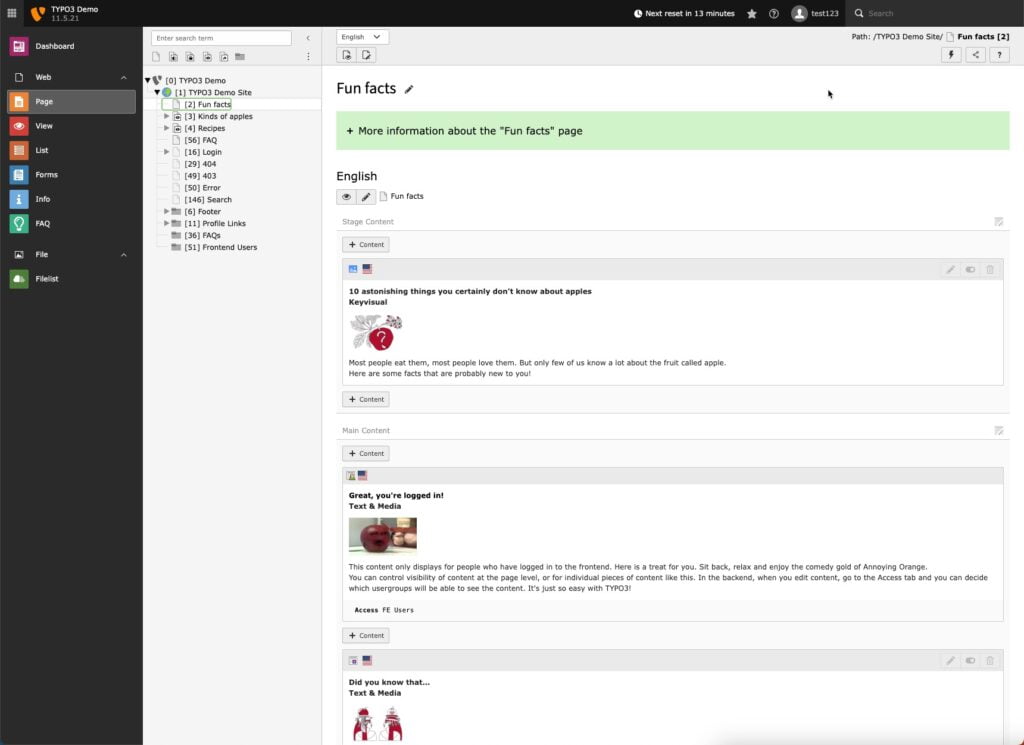
TYPO3 extensions are features you can add to your website to customize it and enhance its functionality. A simple example is setting up an online store. This offers a clear advantage over so-called modular systems, which provide only limited scope for customization.
By the way: TYPO3 provides all extensions and templates for free. These are also updated and managed by developers within the community to ensure the CMS is always adapted to customer needs.
TYPO3 is an open-source solution that makes it very easy to manage web projects as a team. Additionally, the CMS is ideal for multilingual websites.
Conclusion – How Waterproof Web Wizards Can Help You Build a TYPO3 Website
Building a website can take quite a bit of time. We’re happy to help you design your TYPO3 website with a sales-oriented approach and develop a suitable SEO strategy. We cover these areas of expertise:
- Search Engine Optimization – SEO
- Local SEO
- Technical SEO
- SEO Audit
You can reach us by phone at +49 751 95 89 92 17 or contact us via our contact form. Feel free to read our customer reviews to get a better sense of who we are.